Datasheet PDF Generator for WooCommerce
Create professional, branded PDF datasheets for your WooCommerce products in seconds
Why Choose Datasheet PDF Generator?
Perfect for B2B stores, technical products, and any business that needs printable product documentation
Professional PDFs
Generate beautiful A4 portrait PDFs with custom branding, two-column layout, and automatic page numbering
Live Preview
Preview your PDFs before saving them. See exactly what your customers will download
Custom Branding
Add your own header and footer images. Make every PDF reflect your brand identity
Variable Products
Automatically includes all variations with SKUs and attributes in a clean table format
Easy to Use
Familiar WordPress editor interface. No learning curve, start creating PDFs immediately
Auto Download Tab
Automatic download tab appears on product pages. Control visibility per product
See It In Action
Intuitive Product Editor
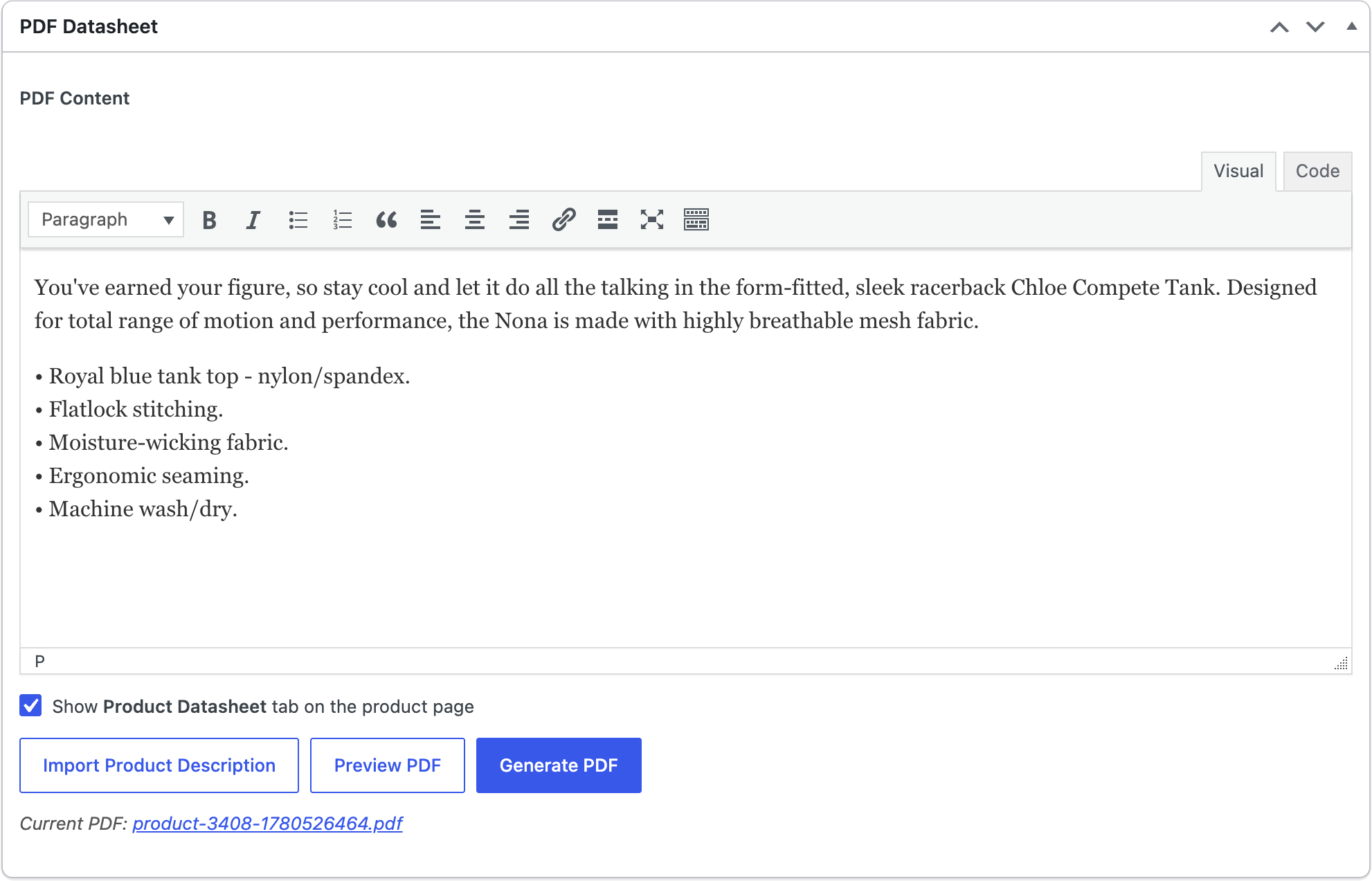
The PDF Datasheet metabox integrates seamlessly into your WooCommerce product editor. Use the familiar WordPress editor to create PDF content, import from product descriptions, and preview before generating.
- TinyMCE editor for rich content
- Import from product description
- Live preview button
- One-click PDF generation
Easy Configuration
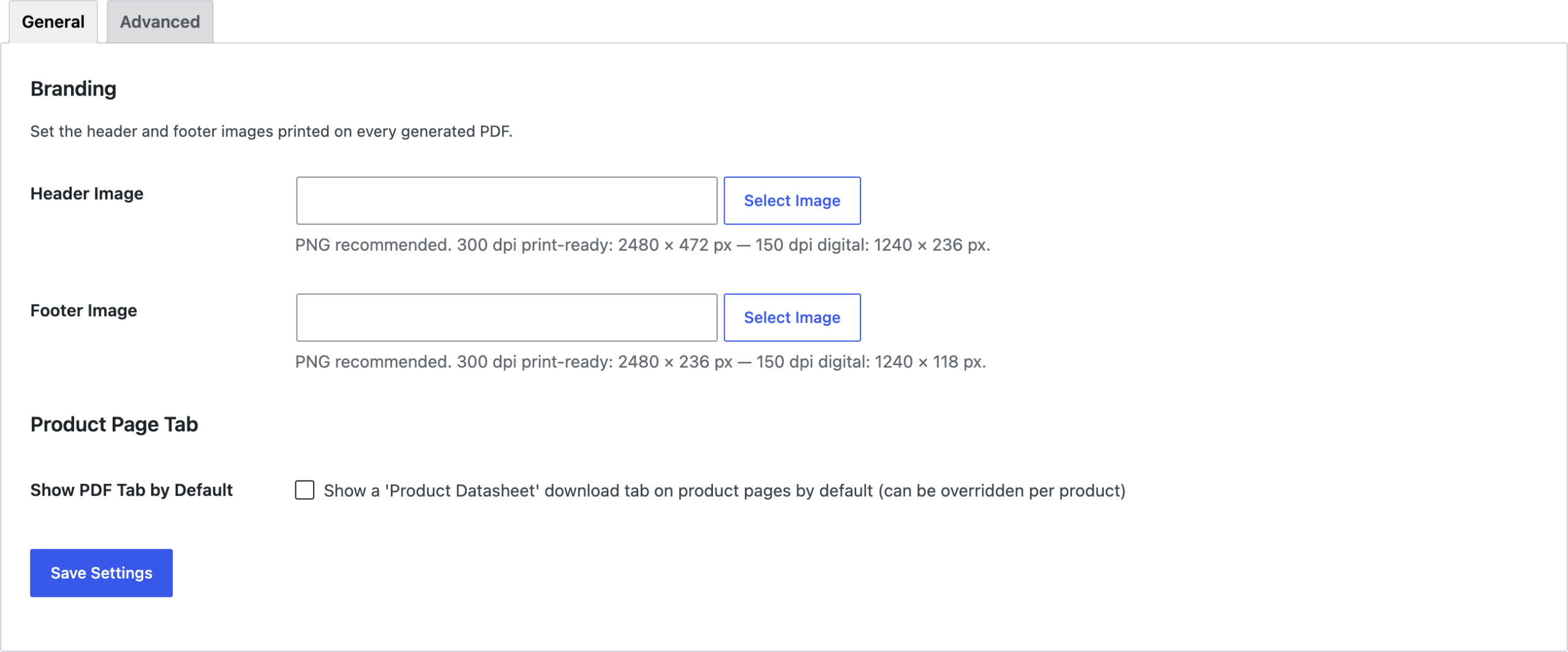
Configure your branding and default settings in one place. Upload header and footer images, set default tab visibility, and customize your PDF appearance.
- Upload custom header/footer images
- Set default tab visibility
- Simple, clean interface
- No coding required
Professional Output
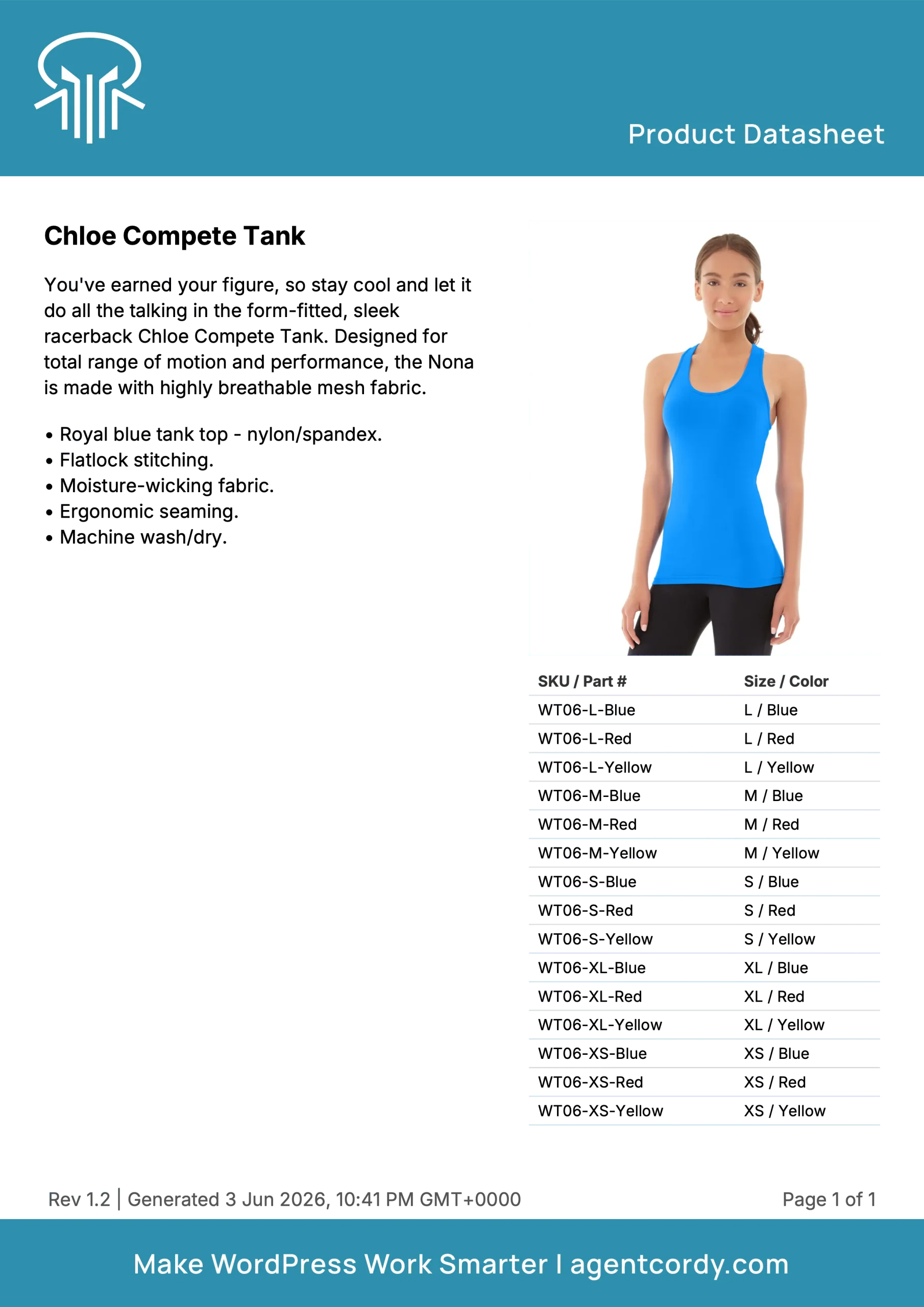
Generated PDFs feature a clean, professional two-column layout with your custom branding. Perfect for printing or digital distribution.
- A4 portrait format
- Two-column layout
- Custom header/footer branding
- Automatic page numbering
- SKU/variation tables

Automatic Download Tab
A “Product Datasheet” download tab automatically appears on product pages after you generate a PDF. Customers can download with one click.
- Automatic tab creation
- Per-product visibility control
- Clean, native WooCommerce styling
- One-click download
Pricing
Start with the free version, upgrade when you need advanced features
Free
- Manual PDF generation
- Live preview
- Custom header/footer images
- Product page download tab
- Two-column layout
- Variable product support
- Per-product tab control
Pro
$29/year
- Everything in Free
- Custom title font (TTF/OTF)
- Custom body font (TTF/OTF)
- Clickable title links
- Clickable header image
- Clickable footer image
- Auto-regeneration on product changes
- Automatic revision tracking
- Priority support
- 1 year of updates
Pro Features in Detail
Custom Fonts
Upload your own TTF or OTF font files to match your brand identity. Set different fonts for titles and body text.
Clickable Links
Make your PDFs interactive. Link the product title to its page, and header/footer images to your homepage.
Auto-Regeneration
PDFs automatically regenerate when product details change. Keep your datasheets always up-to-date without manual work.
Revision Tracking
Automatic revision numbering (Rev 1.0, 1.1, etc.) appears in the PDF footer. Track document versions effortlessly.
Easy to Use
Familiar WordPress editor interface. No learning curve, start creating PDFs immediately
Auto Download Tab
Automatic download tab appears on product pages. Control visibility per product
Perfect For
B2B Manufacturers
Provide detailed technical specifications and product information to wholesale buyers and distributors.
Technical Products
Share comprehensive datasheets with engineers, technicians, and technical decision-makers.
Industrial Suppliers
Generate professional documentation for industrial equipment, parts, and components.
Professional Services
Create service datasheets, package descriptions, and detailed offering documents.
Scientific Equipment
Provide detailed specifications, certifications, and technical data for lab equipment.
Electronics & Components
Share detailed specs, compatibility info, and technical drawings for electronic parts.
Frequently Asked Questions
Do I need to install Composer or any dependencies?
No. All dependencies are bundled with the plugin. Just install and activate like any WordPress plugin.
What image sizes should I use for headers and footers?
For best quality (300 dpi print-ready): Header 2480 × 472 px, Footer 2480 × 236 px. For digital PDFs (150 dpi): Header 1240 × 236 px, Footer 1240 × 118 px.
Can I customize the PDF content?
Yes. Each product has a PDF content editor where you can add custom text, images, and formatting using the familiar WordPress editor.
Does it work with variable products?
Yes. The plugin automatically generates a table with all variations, their SKUs, and attribute values.
Where are the PDF files stored?
PDFs are stored in wp-content/uploads/datasheets/ with unique filenames to prevent caching issues.
Can I preview before generating?
Yes. Click the “Preview PDF” button to see what the PDF will look like without saving it.
How do I hide the download tab on specific products?
In the product editor, uncheck “Show PDF tab” in the PDF Datasheet metabox.
What’s the difference between Free and Pro?
Pro adds custom fonts, clickable hyperlinks, automatic PDF regeneration when products change, and revision number tracking.